REST API OAuth 2.0 Authentication
GENESIS WebAPI includes a REST interface that is secured by OAuth 2.0 authentication, which allows clients to securely read data, but also write to points and browse the address space.
The Web API requires authentication via OIDC. Access is granted by obtaining a bearer token from the GENESIS Security Server and including it in API requests. GENESIS supports the following OIDC authentication flows:
-
Authorization Code Flow: Interactive login via a web browser, with or without a Proof Key for Code Exchange (PKCE).
-
Client Credentials Flow : Server-to-server authentication using a client ID and client secret; no user sign-in required. Available in GENESIS versions 11.05 and later.
For more details, refer to OpenID Connect Authentication Overview.
The Web API does not require an external identity provider. You can authenticate through the built-in GENESIS OIDC identity provider, which requires only the Web API Service feature entitlement. A client that uses its own custom OIDC relying party, including every client that uses the client credentials flow, also requires the External Identity Providers feature entitlement. Learn more
To use OAuth 2.0 authentication for WebAPI, you need to perform the following tasks.
-
Set up the public origin. Learn more
-
(For interactive login only) Configure web login. Learn more
-
Add an OIDC Relying Party and set up one of the supported authentication methods:
-
Authorization Code Flow Learn more
Alternatively, you can skip this step and use GENESIS's native OIDC identity provider. It uses the Authorization Code Flow with the following specifications:
-
Always requires PKCE.
-
Does not allow a client secret.
-
-
Client Credentials Flow (supported in GENESIS versions 11.05 and later). Learn more
-
-
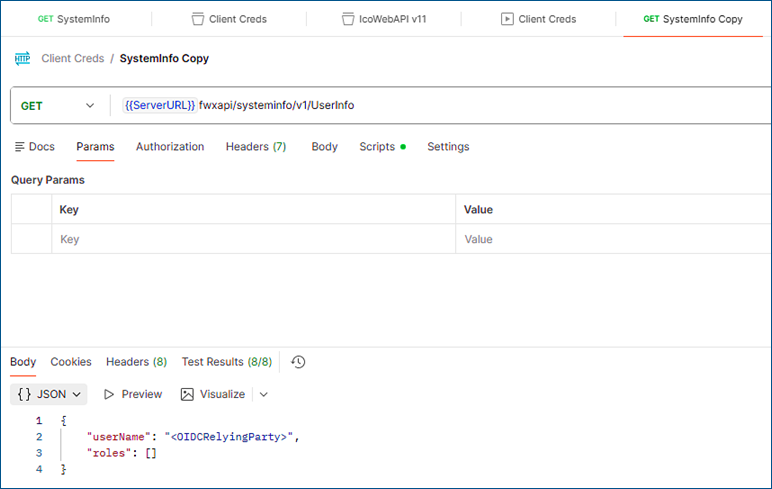
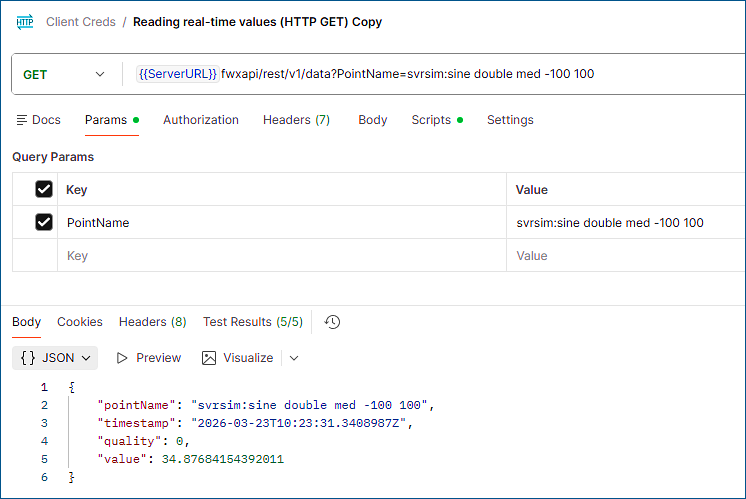
Test the authentication settings by trying to get data from the REST API:
Note that after upgrading to .NET 10 in GENESIS version 11.05, you must first sign in at the dedicated sign-in endpoint to obtain a session cookie before calling Web API endpoints from a browser context. Unauthenticated requests return a 401 Unauthorized error.
In earlier versions, accessing a Web API endpoint in a browser automatically redirected the user to the login page.
The following images show getting the data with Postman.