GENESIS Point Managers and Services Overview
The components in GENESIS are managed by their point managers, which are services installed with GENESIS to perform tasks specific to the point manager's function. Point managers have parameters that can be used to adjust the service's behavior. Learn more
The server components rely on these services to provide data, communication, or services to client components. For a full account of the role of each service, see the List of GENESIS Services.
For more information about communication between clients and servers, refer to Workbench Internal Architecture.
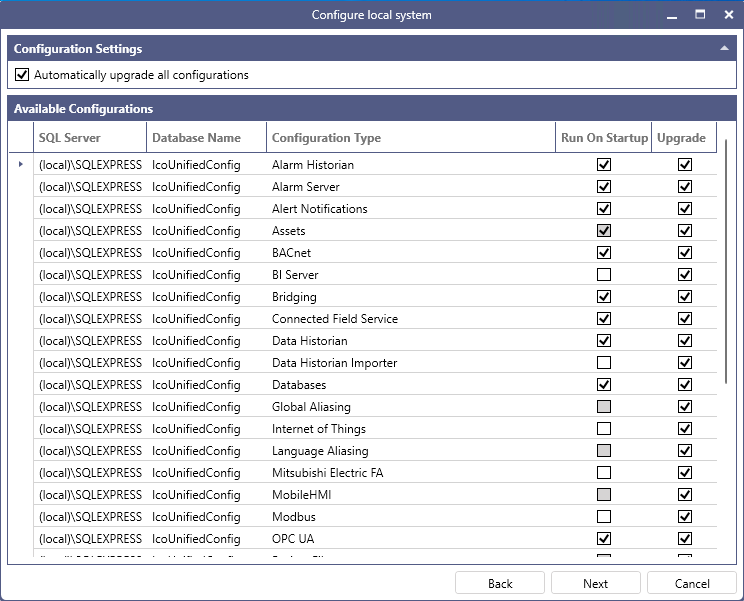
You can start the service (point manager) manually or set it up to start automatically on Windows startup. By default, GENESIS is set up to automatically start only necessary services on the Windows startup. In the system configuration, typically performed after installing GENESIS, you can customize the automatically started services in the Available Configurations section by selecting or clearing the checkbox for each component in the Run On Startup column.
GENESIS services are included in the list of Windows services, and their names always start with "GENESIS" for easy identification. You can handle them there as usual, or you can use Workbench for managing services related to GENESIS components without opening the Services application in Windows.
When you select a specific component, such as Assets, BACnet, or Alarm Historian in Project Explorer, the status of the component's point manager service and other related services is indicated by a traffic light button  that is displayed on the Home ribbon. You can use these buttons to start or stop the service.
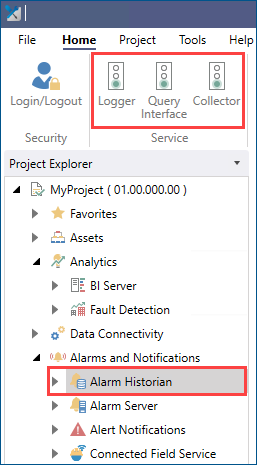
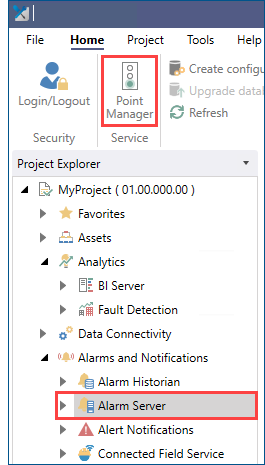
The traffic light button is sometimes called Point Manager, typically when it is the only service for the component. Technically, by starting the point manager, you are starting the service that provides the point manager's functionality.
To view and manage all available GENESIS services at one place, you can use the Configure Services feature. Learn more