Additional Settings for Vonage
In addition to the basic configuration for sending and acknowledging notifications, Vonage offers various optional settings and features, such as the following:
- Voice and style customization Learn more
-
Viewing debug logs on the Vonage account dashboard
To view Vonage logs, open your Vonage account and in the left-panel menu, expand Logs in the MONITOR section, and select the desired type of log, such as SMS Logs or Voice Logs.
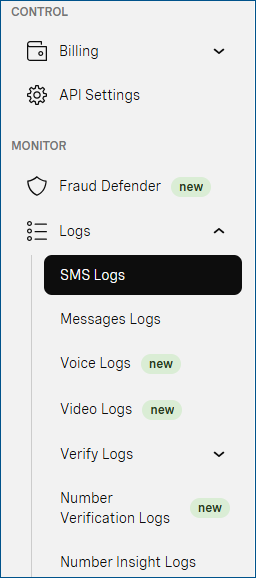
In the log type dialog, select the desired time range and direction (Inbound or Outbound) of the logs to be displayed, and click Search. You can download the search results as a .csv file.
You can set additional filtering parameters, such as the phone number or a message ID. The available options depend on the log type. -
Checking the service status
You can check the Vonage service status on https://vonageapi.statuspage.io/.
- Unsubscribing and resubscribing options Learn more