Enabling Status Logging and Acknowledging SendGrid Emails
After configuring the support for status receipts and acknowledgment of incoming emails in SendGrid, you need to set up acknowledging SendGrid email notifications, and enable logging status information in Alert logs in Workbench.
To enable status logging and acknowledging Twilio notifications in Workbench:
- Open Workbench and in Project Explorer, expand your project > Alarms and Notifications > Alert Notifications and double-click General Settings to open the configuration.
- Select the Enable Email Alert ID checkbox and click Apply.
- In Project Explorer, navigate to Alert Notifications > SendGrid Configurations and open the default SendGrid configuration.
-
Select the Reply To checkbox and in the text field, enter an email address with the domain or subdomain that you have set up for inbound parsing. Then click Apply.
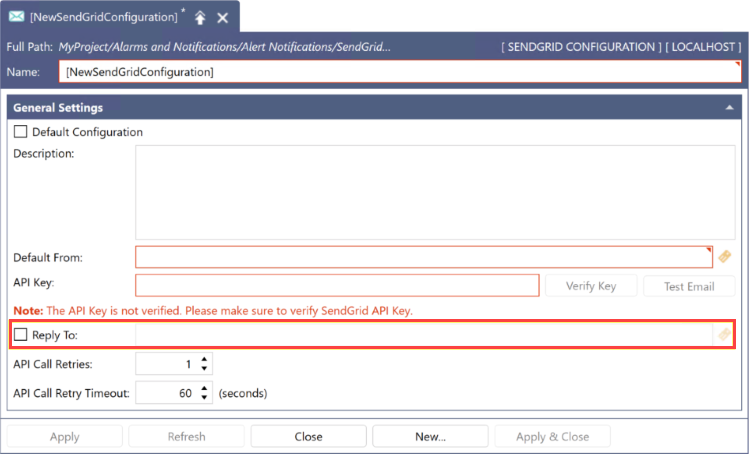
Example: If your subdomain is sub and the main domain is mainDomain, the Reply To email address may look like abc@sub.mainDomain.com.