Setting the Public Origin
Before setting up web login, Microsoft Entra ID synchronization, or an OIDC Relying Party, you need to set your web server public origin. It is used for advertising GENESIS Security to identity providers and clients.
The public origin is needed in the following use cases:
- To advertise to clients that they should use HTTPS instead of HTTP.
- To advertise the correct host name. This is especially necessary if running behind a reverse proxy server where the public host name cannot be inferred by Security.
 Setting it incorrectly could expose your system to a security vulnerability or prevent a proper connection with external identity providers or clients.
To set up the public origin:
- Open Workbench and on the Tools ribbon, select Platform Services Configuration.
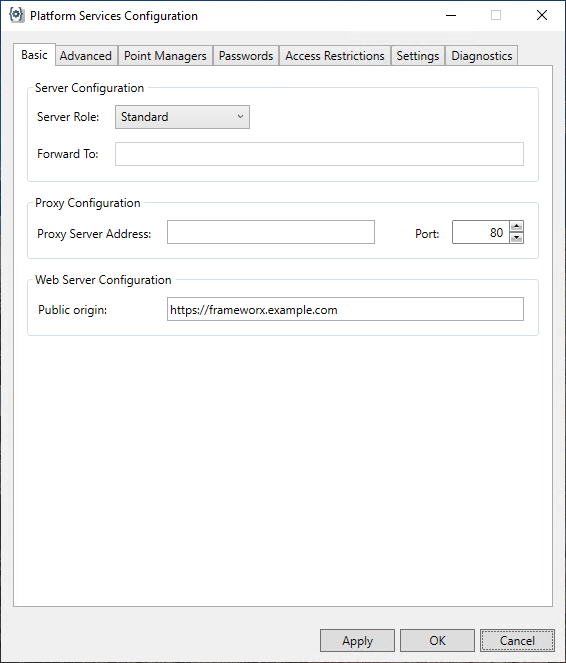
- In the Platform Services Configuration dialog, go to the Web Server Configuration section on the Basic tab.
- In Public Origin, enter the desired URL (typically the FrameWorX server address), and then click Apply.
The address must only contain the protocol and host name, without the trailing slash. Example of a properly formatted public origin:
https://frameworx.example.com
- Restart the FrameWorX server.