Adding a Group and Assigning a User
The following procedure explains how to add the security groups, Administrators and Operators, and assign users to them.
To add a group and assign a user to it:
-
Open Workbench , and then expand MyProject > Security .
-
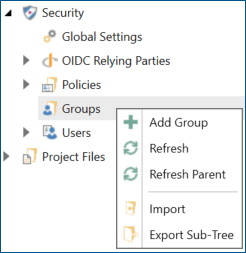
Right-click Groups and select Add Group.
-
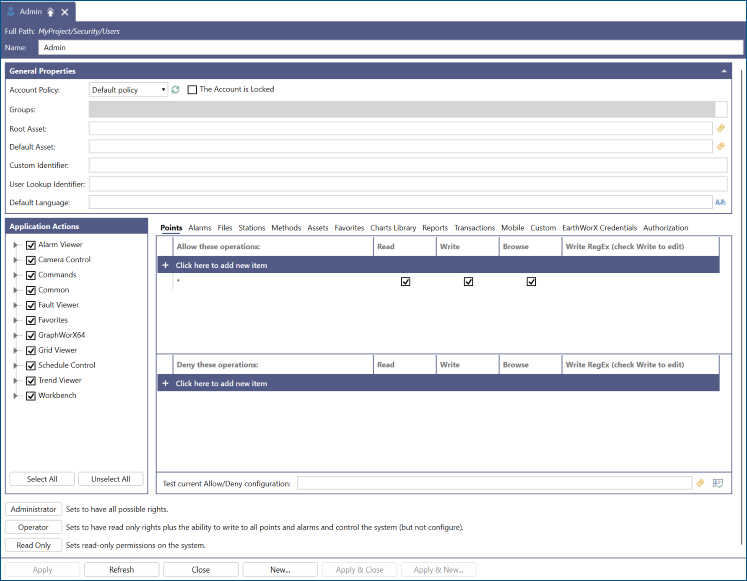
Name the group Administrators and click Apply.
-
Set the desired access rights and Application Actions for your new Administrators group and click Apply.
You can use the Administrator, Operator, and Read Only buttons to quickly set typical permissions for these roles. Learn more
-
Repeat steps 1. to 3. and add a security group named Operators .
-
Click the Operator button to set the permissions of the Operators group to read only and writes, and then click Apply .
-
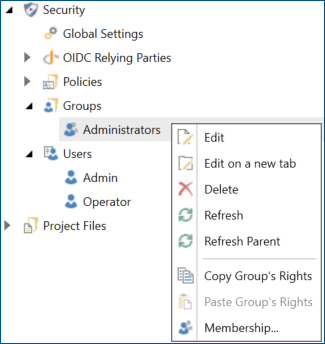
In the Project Explorer, right-click your new Administrators group and select Membership.
-
Select the desired user (Admin) from the drop-down list at the bottom and click
 . The user is added to the list. Click OK to close the dialog.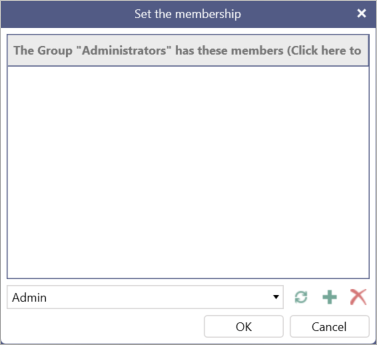
-
Repeat steps 1 and 2 to add the Operator user to the Operators group.