Using a Parameterized Value Set in a Schedule
You can use parameters in a schedule by relating the schedule to a previously created parameterized value set.
To configure a schedule with a parameter:
- Open Workbench and in Project Explorer, expand your project > Actions > Schedules, right-click the submerged Schedules node, and select Add Schedule.
-
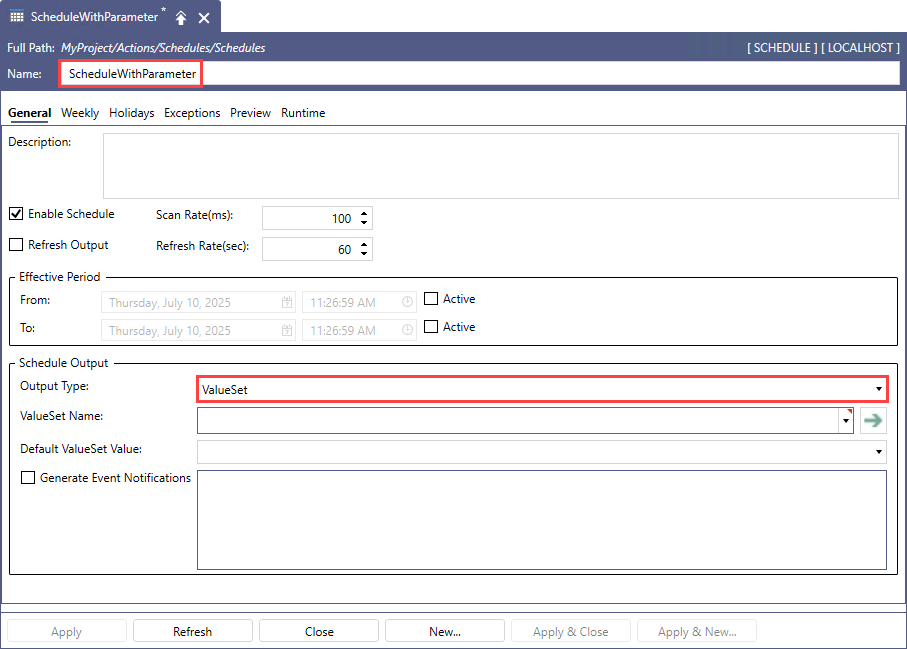
Name the new schedule and in the Schedule Output section in Output Type, select ValueSet.
-
In ValueSet Name, enter the name of the desired parametrized value set, followed by the actual parameter value to be used, enclosed in parenthesis. For example:
- Parameters.OutputParam.(40) for the value set tag value parameter
- Parameters.OutputParam.("ahu2") for the output tag name parameter
- On the Weekly tab, right-click in the schedule area and select New Event.
-
In the Event dialog in ValueSet Value, type or select the desired value defined in the related value set.
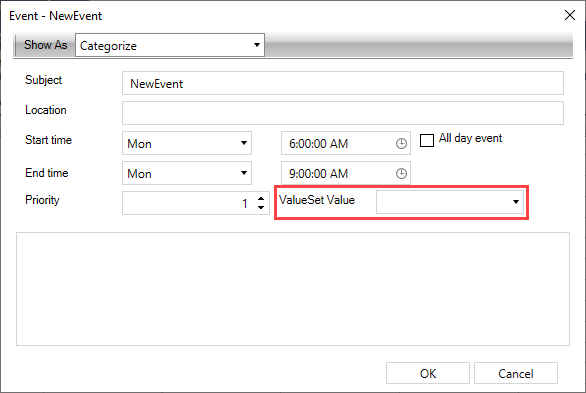
- Configure the remaining event settings as desired and click OK to close the dialog, and then click Apply to save the new schedule.
- Use GraphWorX to connect process points to the schedule value, as well as to the parameterized value set output tag to verify that the target values was actually written to the related tag. Learn more