Comparing Time Periods in Trend Viewer
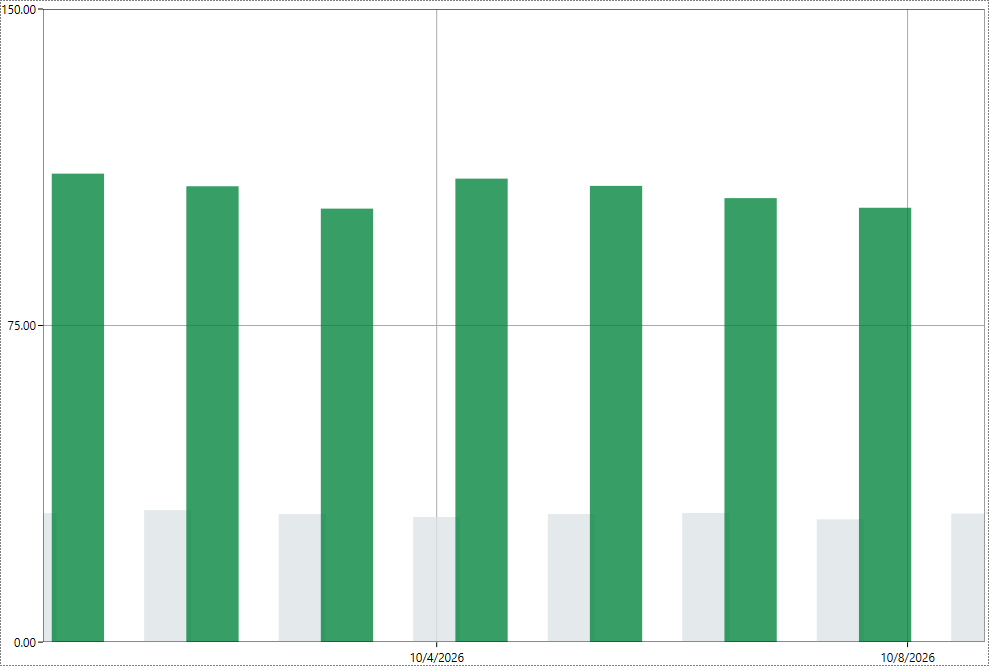
A Trend Viewer can show the values of an earlier period alongside the current ones, for example this year's monthly energy consumption next to last year's. Two pen settings work together for this. Time Shift reads the pen's samples from an earlier or later period and plots them in the current time range of the chart. ShapeShift moves where the chart draws the pen's samples by a fixed amount of time, without changing which samples the pen reads. Use ShapeShift when samples from two pens fall on the same timestamps, such as two pens in a Bars plot, and you want them side by side instead of on top of each other.
Both settings use a number and a time unit, such as -1 Day, -7 Day, or 1 Year. A negative value moves the samples earlier, to the left of the chart, and a positive value moves them later. Instead of a fixed value, you can enter a global alias or an expression, which lets the shift change in runtime.
The following procedure uses a chart of monthly consumption in a Bars or Stacked Bars plot as an example. Use the data source, time units, and values that fit your own project.
To compare the current year with the previous year:
-
In GraphWorX, open the display that contains the Trend Viewer, and then double-click anywhere in the control. The configuration dialog opens.
-
In the left panel, select the plot that holds the pen with the current values, and at the bottom of the left panel, click Add. A new pen is added to the plot.
-
With the new pen selected, on the General tab, click the button next to Data Source and select the same data source as the pen with the current values.
-
In the Time Settings section, in Time Shift, enter
-1 Year. The pen now reads the samples from one year earlier and plots them over the current year. -
Select the Advanced tab, and in the Time section of the property grid, in ShapeShift, enter
-8 Hour.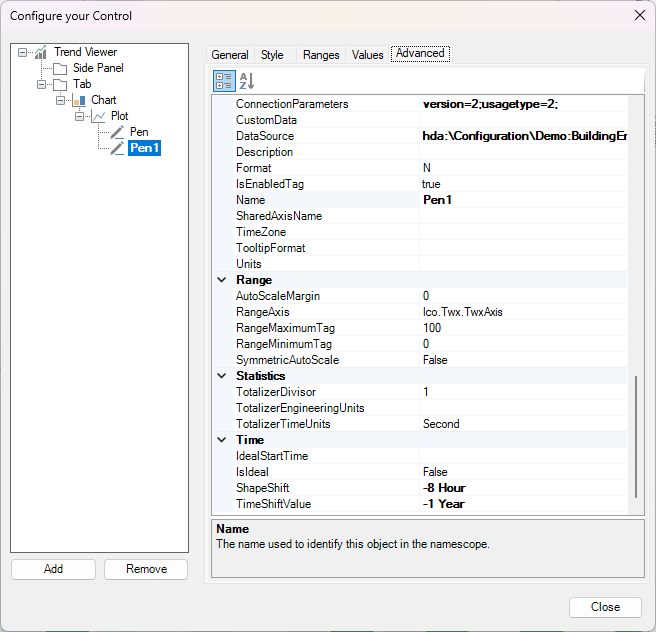
Choose a ShapeShift value smaller than the spacing of your samples.
-
Click Close, and then switch GraphWorX to runtime mode. Each bar for the previous year appears seven days to the left of the bar for the same month this year.