Creating a Cloned List from a Dataset
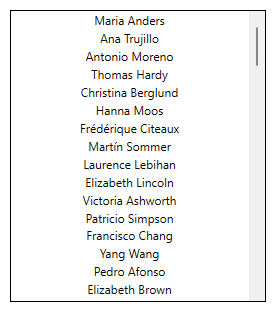
This example of how to use the clone dynamic generates a scrollable list of customer names from the sample Northwind database. This is accomplished by cloning a process point inside a scrollable stack panel. You will typically want to use the clone dynamic within a panel that automatically arranges its children, such as via a stack panel or a wrap panel.
 Setting up the symbol to be cloned
Before adding a clone dynamic, you will first want to setup the symbol to be cloned in a container panel. In GraphWorX configuration mode:
-
Insert a scrollable stack panel
-
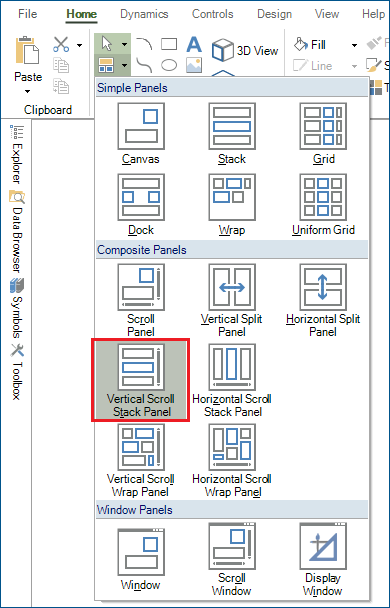
Ribbon Home tab > Panels button > Vertical Scroll Stack Panel > click-and-drag in the main view area to draw the scroll panel at the desired location and size.
-
-
Insert a Process Point inside the scroll panel
-
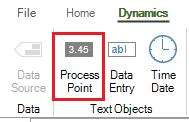
Ribbon Dynamics tab > Process Point > click inside the scroll panel to insert the process point.
-
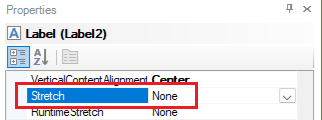
The process point may appear stretched, so change the process point's Stretch property to None.
-
-
(Optional) Add a border around the panel
-
Select the Scroll Viewer
-
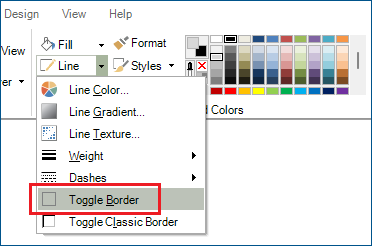
Ribbon Home tab > Line > Toggle Border
-
This step makes the visible area of the scroll panel easier to discern.
-
After these steps, the configuration should look like this:
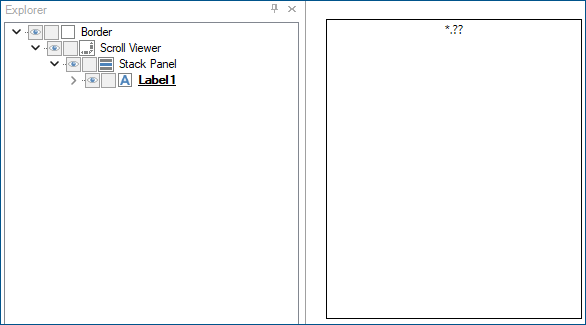
In configuration mode, there is only one process point and a significant amount of empty space within the scrollable stack panel. The empty panel space will be filled in at runtime with cloned process point instances.
Configuring the clone dynamic
-
Select the label/process point
-
Add a clone dynamic
-
Ribbon Dynamics tab > Clone

-
-
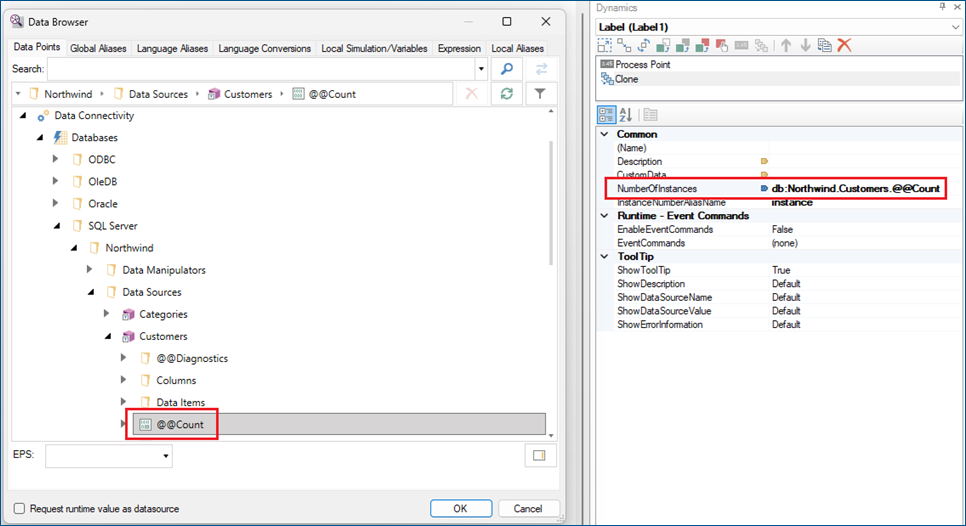
Set the NumberOfInstances property to: db:Northwind.Customers.@@Count
You can use the "..." button to browse for this data source.
-
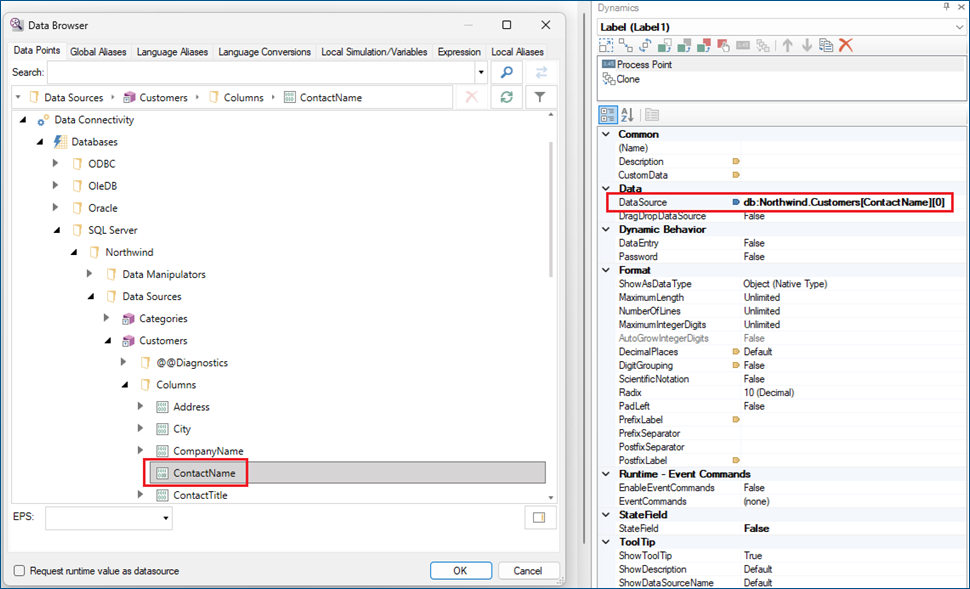
Select the Process Point dynamic and use the "..." button of the DataSource property to browse for: db:Northwind.Customers[ContactName][0]
-
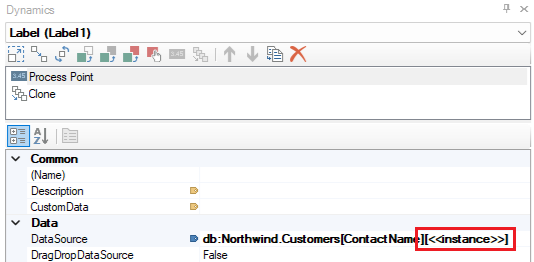
Modify the data source, changing 0 to <<instance>>, so that the final value is: db:Northwind.Customers[ContactName][<<instance>>]
-
The purpose of this modification is to make the row number of the data source vary based on which cloned symbol instance this is. In other words, at runtime, the original configured symbol is instance 0, the first generated clone is instance 1, the second generated clone is instance 2, etc.
-
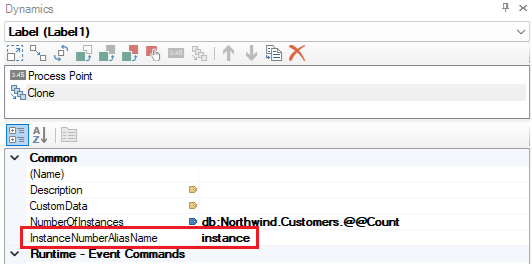
Notice that the alias name "instance" used in the data source matches the default value of the InstanceNumberAliasName property in the clone dynamic's configuration.
-
-
Use the options on the upper right of the GraphWorX screen to switch to the runtime mode
 or to open the display in a web browser
 . The list of customer names is automatically generated and shown as a scrollable list.