Using Multi-Level Resolution with Assets
This example demonstrates how to use the Multi-Level Resolution to resolve the values of the equipment properties. It begins by modifying the example from Clone Dynamic with Dataset.
To create a list of properties to resolve in runtime:
-
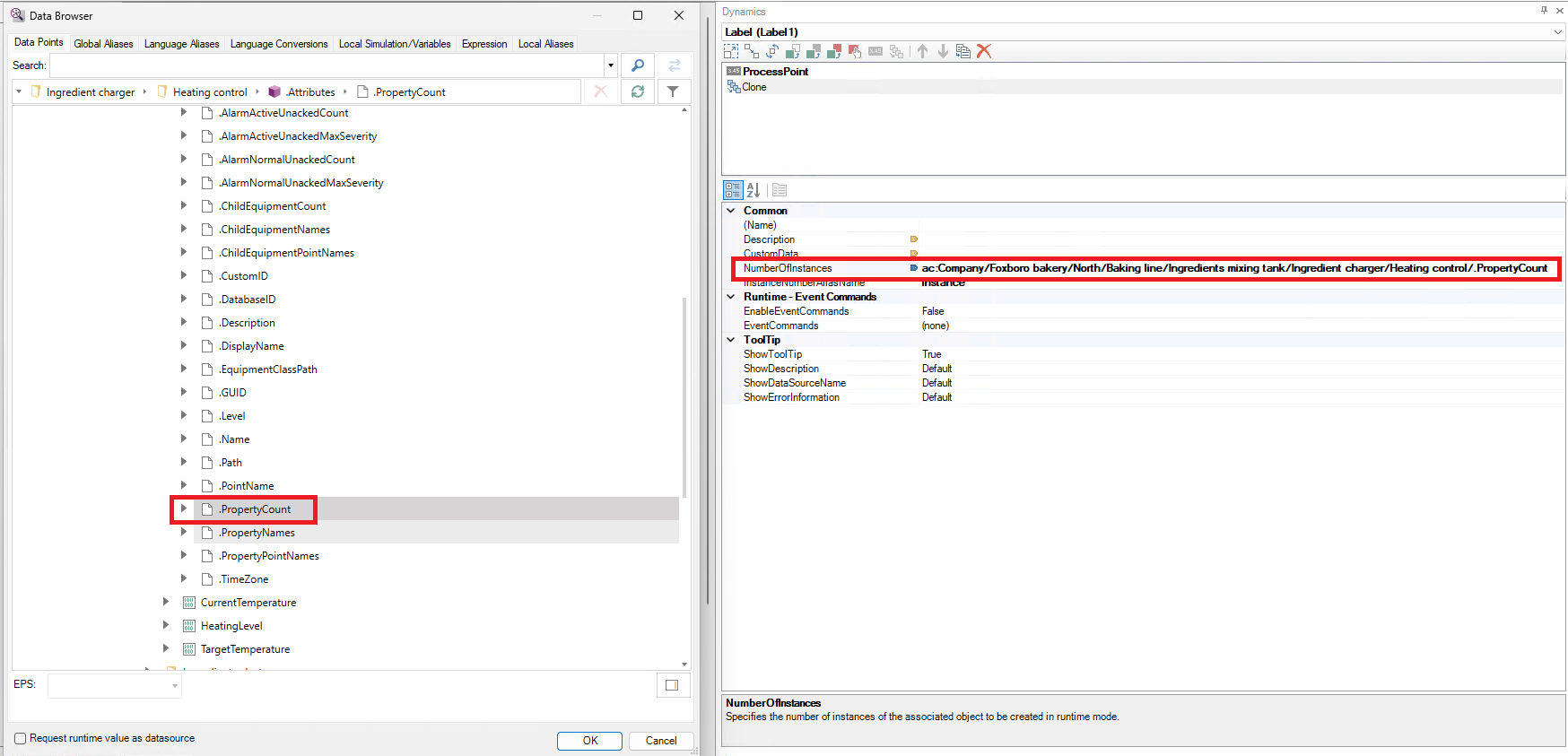
Select the clone dynamic and change the NumberOfInstances to
ac:Company/Foxboro bakery/North/Baking line/Ingredients mixing tank/Ingredient charger/Heating control/.PropertyCount. You can use the button to browse for this datasource
-
Select the process point dynamic and change the DataSource to
valueof:x=getat({{ac:Company/Foxboro bakery/North/Baking line/Ingredients mixing tank/Ingredient charger/Heating control/.PropertyPointNames}}, <<instance>>)This expression returns the value of the equipment property after returning the string from Assets.
-
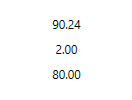
Go to runtime mode and the values of the asset properties are shown
When working with the resolution, clear the check box to return the string the expression engine is returning. This can be useful for troubleshooting