Restoring a BACnet Device
If you have created a device backup, you can easily restore the configuration data when needed.
To restore a device configuration:
-
Open Workbench and in Project Explorer, expand your project > Data Connectivity > BACnet > Channels.
-
Expand the desired channel and network, and then right-click the desired device and select Restore Device.
-
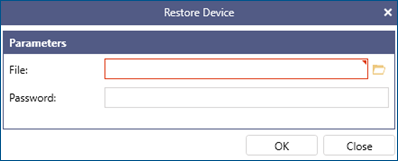
In File, select the path to the backup file. Click
 to browse for the file location.
The file has the .bck extension and the name consists of the device name and a timestamp.
-
If required, enter the device password, and then click OK.
After the restore process completes, the device may restart to apply the configuration changes.
What's Next?