Creating a BACnet Device Backup
If the device supports the backup/restore functionality, you can save its configuration in an archive file.
To back up a device configuration:
-
Open Workbench and in Project Explorer, expand your project > Data Connectivity > BACnet > Channels.
-
Expand the desired channel and network, and then right-click the desired device and select Backup Device.
-
In File Path, select the backup file location. Click
 to browse the local system.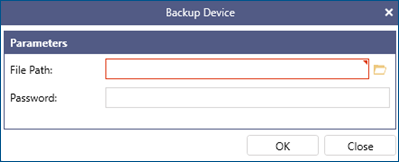
-
If required, enter the device password.
-
Click OK to start the backup. When the process finishes, an archive file with the .bck extension is created in the selected location. The file name consists of the device name and a timestamp.
The content of the backup is defined by the device. For more information about the stored data, refer to the device documentation.
What's Next?