Customizing a Data Table Schema
Besides containing information about the structure of data, the Data Table Schema panel allows you to make some other modifications to how the data is loaded in the model. The following is a list of columns in the Data Table Schema panel and what alterations can be made to them:
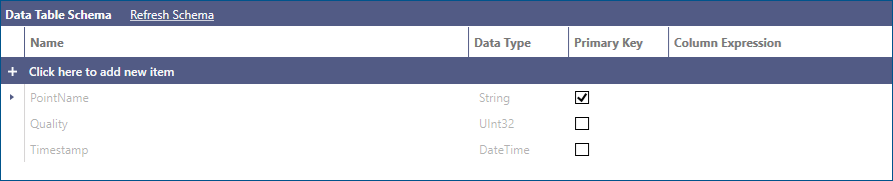
- Name: Represents the name of the column. This field is read-only for schema columns that come from the underlying data source. To rename a schema column, use the Rename Column step in a Data Flow while ingesting and processing the source data.
- Data Type: Represents the data type of the column. This field is read-only for schema columns that come from the underlying data source. To change the data type of a schema column, use the Change Column Type step in a Data Flow while ingesting and processing the source data.
- Primary Key: Specifies whether the column represents (or is part of) the table’s primary key. This field is editable and does not necessarily have to correspond to a physical primary key in the source data. BI Server does not enforce uniqueness of the values in a primary key column; however, for some advanced scenarios, it is recommended that values in a primary key column are effectively unique.
- Column Expression: Used to specify the expression for calculated columns. This field is read-only for schema columns that come from the underlying data source.
How to Create a Primary Key
It is always a good idea to define a Primary Key in your Data Table. Key benefits include
- Data Integrity: Based on the type of data refresh selected for your Data Table, having a primary key can greatly enhance data integrity. A well defined primary key enables the BI Server runtime to uniquely identify Data Table records and to keep them or updated them when new incoming data records are available.
- Data Model Relationships: It is much easier and safer to define relationships between Data Tables having primary keys since it safeguards processing the correct data when more than one data table is involved in a data query.
- Data Model Performance: The performance of a Data Model can be greatly enhanced by having a primary key column in the Data Tables to speed up joins and other typical SQL database operations.
The Data Table Schema panel allows you to create a primary key column in a few simple steps. Please note that a primary key may be a single existing column in the Data Table or a combination of columns that makes sense to use for uniquely identifying records. Initially, when a new Data Table is defined, there will be no primary key defined in the Data Table Schema panel.
To create a primary key column:
- Select the appropriate column or combination of columns to include in the primary key.
- Check the Primary Key checkbox to the right of the selected column(s) to set as primary key.
-
Click the Apply button for the changes to go into effect.
How to Create a Calculated Column
To create calculated columns:
-
Click on the (+) header to add a new item

-
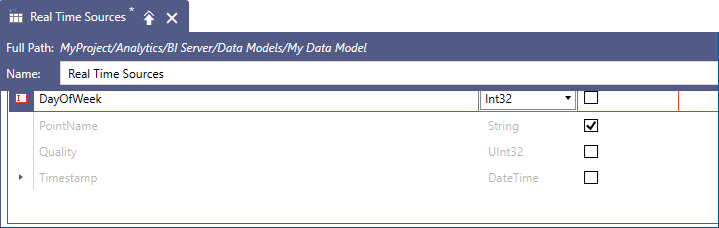
To fully configure the new column, you must enter a name, specify a data type and define the expression that produces the column’s value.
-
To enter the calculated column expression, you can either type it manually in the Column Expression field, or select the cell in the Column Expression field, and then select Configure Expression to launch the expression editor.
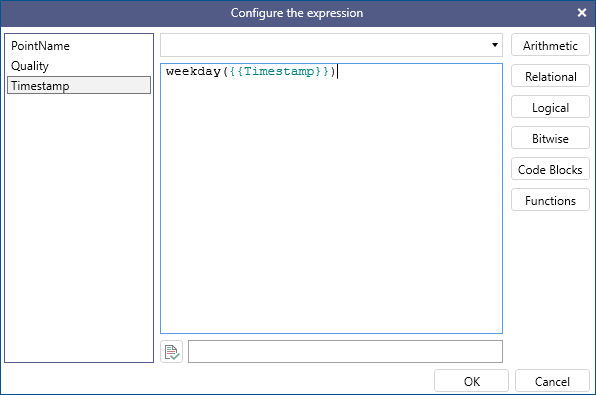 In a similar fashion to calculated columns in Data Flows, all the current columns in the table are available as variables for the expression. In the example above, we are using an expression to extract the weekday number from the Timestamp column.
 -
Once the expression is configured, the new column will be shown in the Data Table Schema panel.
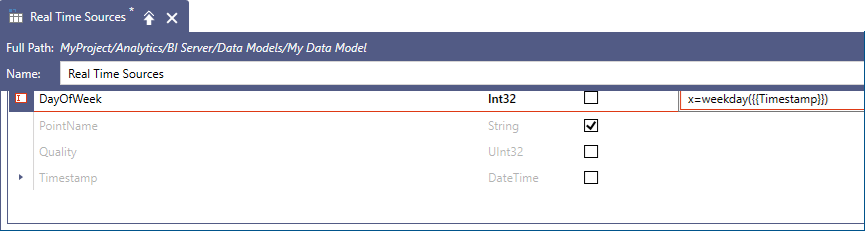
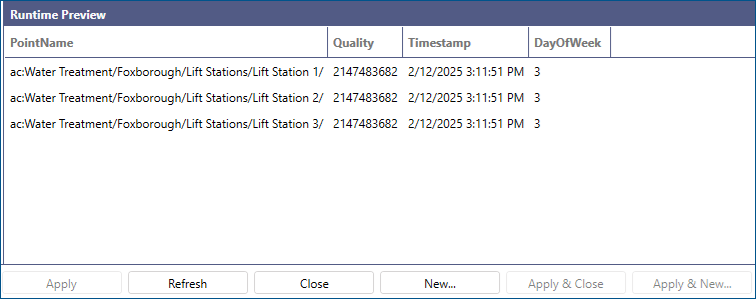
Once the new calculated column is added and you click on the Apply button, you will be able to see it in the Runtime Preview panel
How to Create a Calculated Column that References Existing Calculated Column
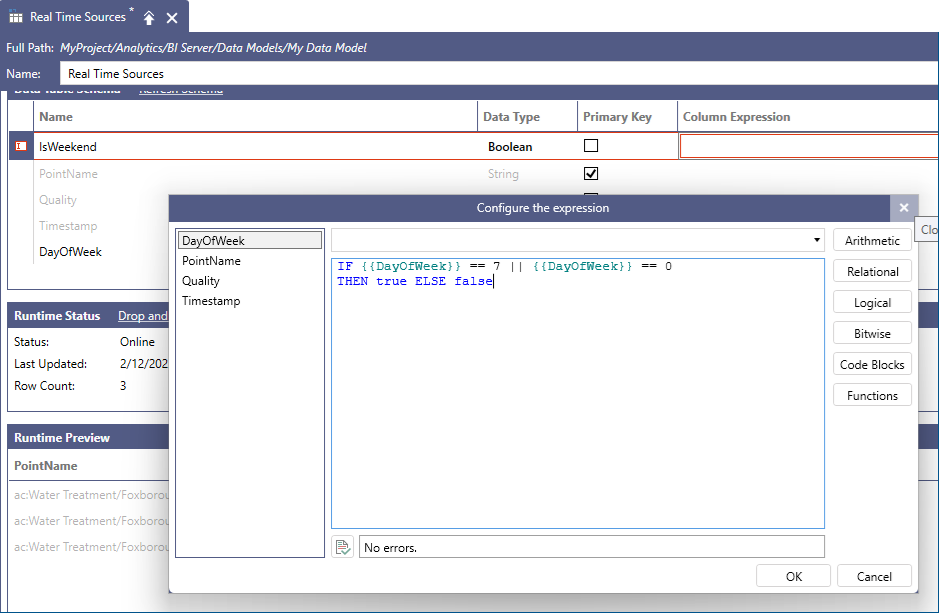
You can use calculated columns as variables for other calculated columns too. For example, you could create another calculated column that checks whether the timestamp falls on a weekend or not based on the value of the new DayOfWeek column.
-
Follow the steps in the previous section to add a new calculated column, called IsWeekend of data type Boolean.
-
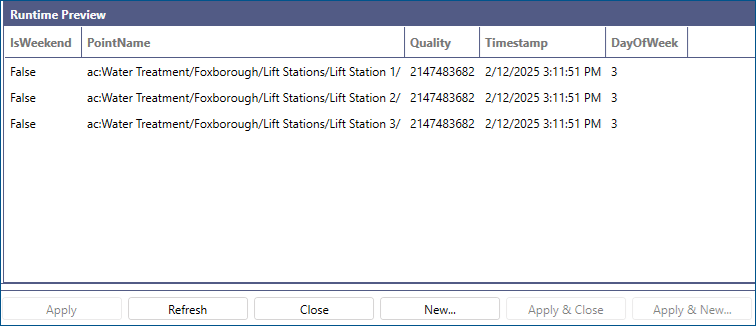
Once the new calculated column is added, click on the Apply button to see it added to the Runtime Preview panel.
Calculated columns defined in a Data Table are virtual columns, which means they are always evaluated on the fly and they are not physically stored in the BI Server’s memory. Extensive use of calculated columns in your Data Tables may impact performance of the Data Model. A better approach would be to shape your data sources at the source of data, if possible, to include a column producing the same data output as a calculated column.