Configuring a Data Table Refresh
Once a data source is configured for the Data Table and the parent Data Model is configured to be online, the BI Server runtime will request data from the data source and fill the in-memory Data Table. This “snapshot” of the data source will be kept in memory by the BI Server runtime and will not be automatically refreshed or synchronized with the underlying data source. In cases where the ingested data could become stale, BI Server can be instructed to re-query the underlying data source and refresh data in the in-memory Data Table.
To configure a data table refresh:
-
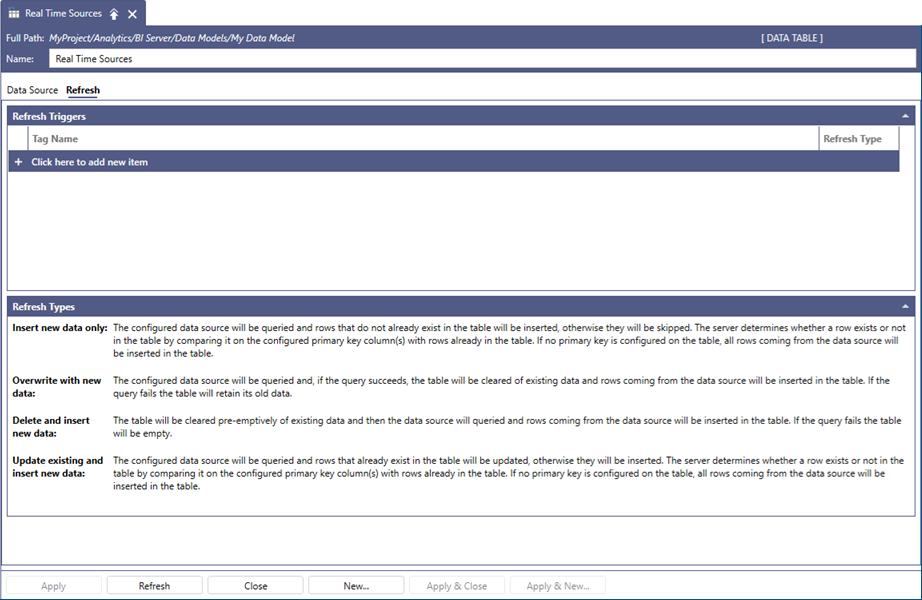
Select the Refresh tab in the Data Table configuration form.
-
Select Click here to add new item inside the Refresh Triggers group.
-
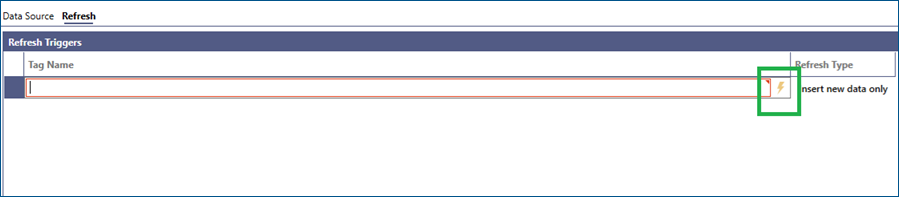
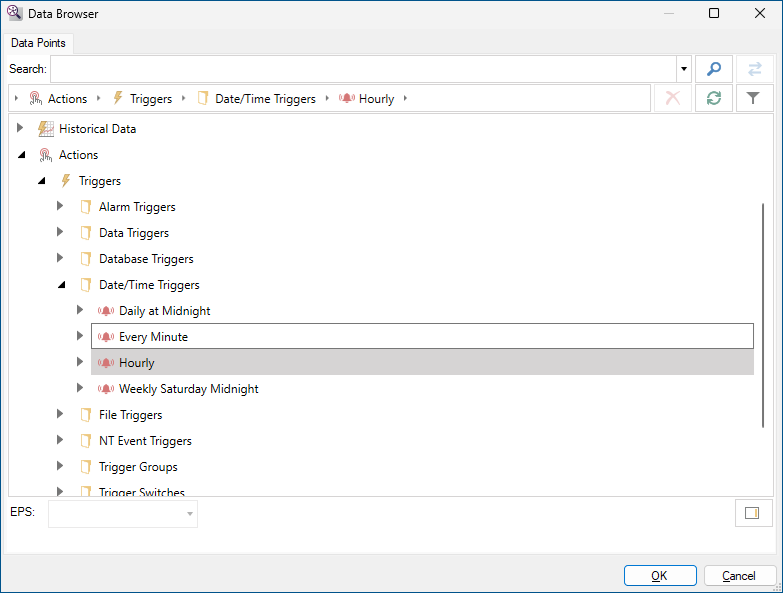
You can either type the trigger name manually, or browse it by selecting the Click to browse triggers button. Any kind of trigger configured within the GENESIS system can be used.
-
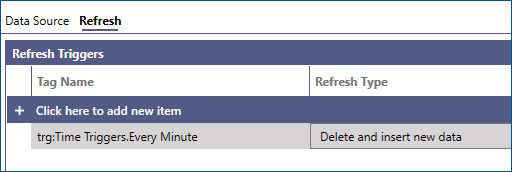
Once a selection is made, it is also possible to configure how data in the Data Table will be refreshed from the list under Refresh Type.
Understanding Refresh Types
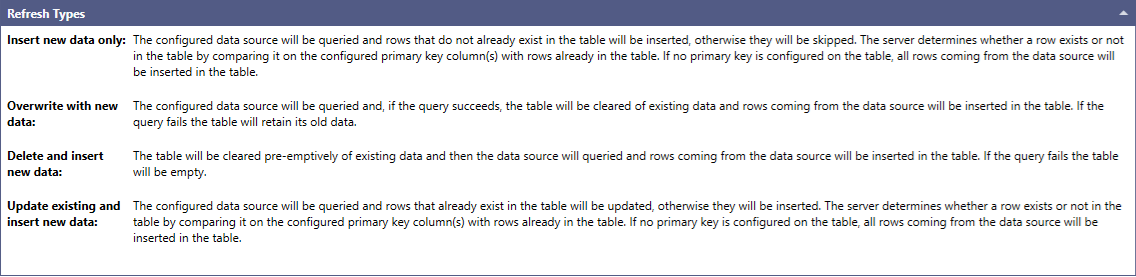
There are currently four available options for refreshing, which are also explained under the Refresh Types panel:
-
Insert new data only: When the trigger fires, BI Server runtime will re-query the underlying data source, but it will retain all the data currently in the in-memory table. New rows coming from the data source will be scanned and compared to rows already in memory by the primary key column(s) that have been defined for the table: if the new row coming from the source already exists in the table based on the configured primary key, it will be discarded, otherwise it will be appended to the in-memory table. This is useful in cases where the underlying data source provides new data, but the old data is still valid (for example, a historical data source that returns new samples stored since the last time it was queried).
-
Overwrite with new data: When the trigger fires, BI Server runtime will re-query the underlying data source, then drop all current data in the in-memory table and replace it with the new data from the source. If the query to the data source fails, the table will retain its original data. This is useful in cases where the underlying source provides a completely brand-new set of data, and the previous data is not relevant anymore (for example, a data source connected to a web service that returns the weather forecast for the next 12 hours).
-
Delete and insert new data: This is similar to the overwrite with new data, with the difference that the table’s data will be dropped regardless before the data source is queried. If the query to the data source fails, the table will be empty.
-
Update existing and insert new data: When the trigger fires, BI Server runtime will re-query the underlying data source but will retain all the data currently in the in-memory table. New rows coming from the data source will be scanned and compared to rows already in memory by the primary key column(s) that have been defined for the table: if the new row coming from the source already exists in the table based on the configured primary key, the existing row in the in-memory table will be updated with the contents of the new row coming from the source, otherwise it will be appended to the in-memory table. This is useful in cases where the underlying data source provides new data, and some of the data updates the data retrieved during the previous load (for example, a historical data source returned a few bad or uncertain samples during the previous load, which can then be updated with good quality values from the current load).
It is possible to define multiple refresh triggers for a single Data Table to specify different events that affect the table refresh. When there are multiple refresh triggers, any individual trigger can start the refresh. It is not necessary for all triggers to occur at the same time. Each trigger can have its Refresh Type configured individually, so some events could trigger a table overwrite (drop all existing data and reload) while some others just a merge. If a trigger fires while a refresh operation from a different trigger is still executing, the latest trigger will be ignored.
For more information on Data Table primary key, see Customizing a Data Table Schema.