Verifying the Linked Equipment in Runtime
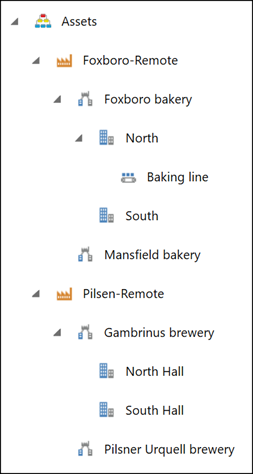
After creating a link to a remote asset tree, you can view the equipment in GraphWorX Asset Navigator.
To verify the linked equipment in runtime:
-
Open GraphWorX.
-
On the Controls ribbon, select Asset Navigator and place it on your display canvas.
-
In the upper-right corner of the screen, expand Open in Web Browser and select Desktop Runtime to enter the GraphWorX runtime mode.
-
Expand the linked equipment in the Asset Navigator and verify that all child equipment from the remote asset tree is displayed.