Adding Historical Data to an Asset
Once you enable the Assets extension for Data Historian, you can add various formats of historical data created in Data Historian to an equipment class or an individual equipment instance in your asset tree.
To add historical data to an equipment class:
-
Open Workbench and in Project Explorer, expand your project > Assets > Equipment classes, navigate to the desired equipment class, and double-click the desired equipment property to open its configuration.
-
On the Historical Data tab in Source type, enable historical data by selecting the desired type of data source.
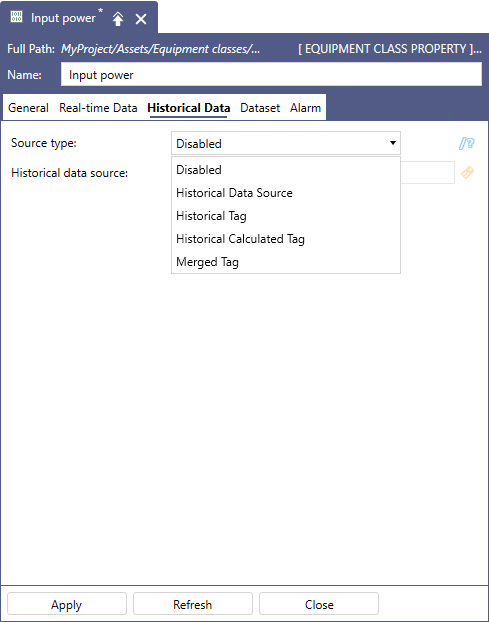
The selected data type is added to the Type field, and related settings are displayed.
- Complete the settings based on the selected data source type, and then click Apply to add the historical data to the equipment class.