Converting Displays with Alarm Subscriptions
As a part of the data conversion from AlarmWorX64 Logger to Alarm Historian, you can convert GraphWorX displays that contain subscriptions to real-time or historical alarms. Before you can do that, you must convert the AlarmWorX64 Logger configuration and create a point map file, which is required for the data conversion.
To convert GraphWorX displays with alarm subscriptions:
-
On the Data Migration Utility ribbon, select AlarmWorX64 Logger to Alarm Historian Data, and then select the previously created point map file.

-
On the left pane, click Displays to display the conversion settings.
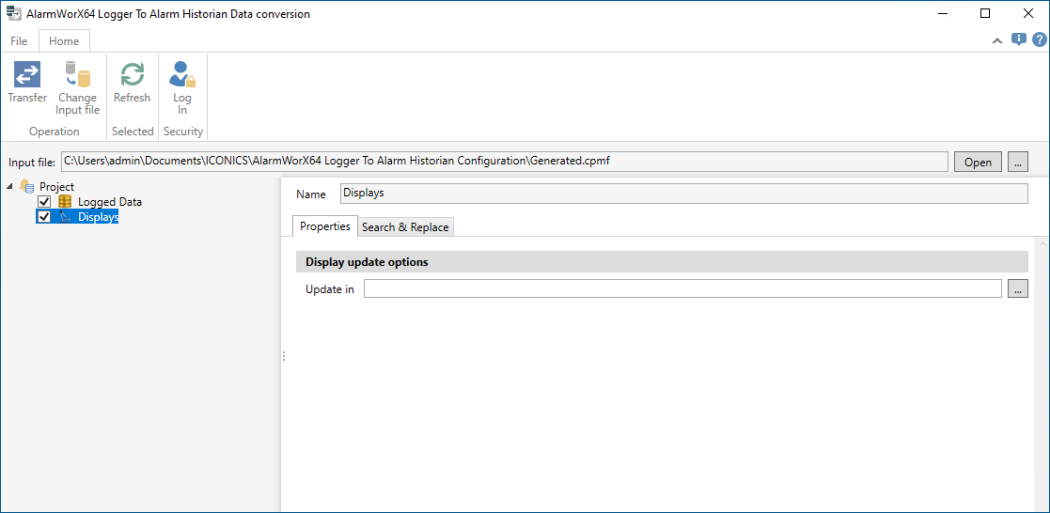
- In Update in, specify the root folder with your displays. The conversion process updates the real-time and historical alarm subscriptions in all displays stored in the selected folder and its subfolders.
-
On the ribbon, select Transferto start the conversion. In the process dialog, check the conversion status for potential errors or warnings.
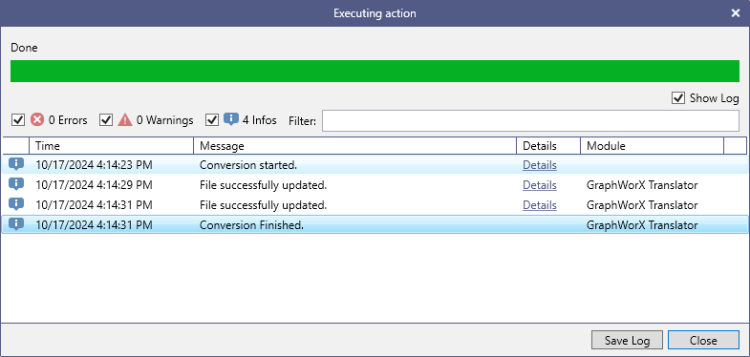 Use the Errors, Warnings, and Infos checkboxes to set up the level of messages that you want to see. If you want to let the import process run in a silent mode, can clear the Show Log checkbox.
 - When the conversion finishes, check the columns specification in the Alarm Viewer and adjust it as needed.