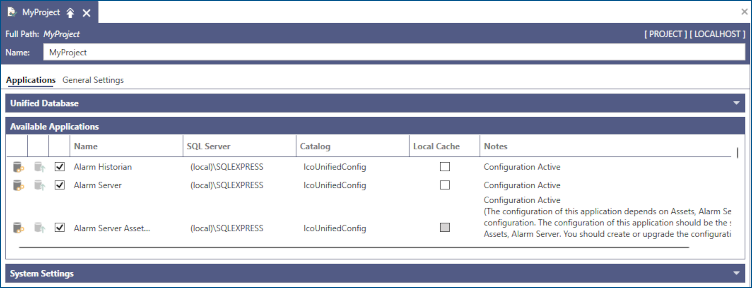
Configure Components Overview
The Configure Components feature in Workbench allows you to customize various project settings. All applied changes automatically reflect in the associated project.
To access the settings, select your project in the Project Explorer, and then click Configure Components in the Tools section of the Home ribbon.
You can perform the following actions in the project:
-
Add or remove components (applications). Use only the components that you need.
-
Modify the SQL Server settings of each component, since all the configuration data is stored in SQL Server databases—use either local or remote SQL Server instances and one or more databases.
-
Upgrade existing components to the newer version of the configuration database.
-
Create or overwrite the databases associated with the components.