Registering GENESIS on the Azure Portal
GENESIS Security uses the MS Graph API to connect to Entra ID and query it for users and groups. To be able to connect to the MS Graph API, you must first register GENESIS on the Azure portal.
For the registration and instructions, use https://docs.microsoft.com/en-us/graph/auth-v2-service.
The following specific settings apply:
- The Redirect URI is required only if Web Login through the Azure portal is required. Setting this up can be postponed to a later stage.
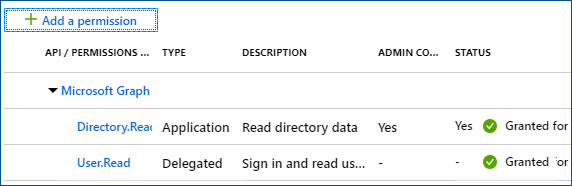
- Security requires the Directory.Read.All application permission. This must be granted as an Application type of permission, and not as a Delegated type, which means that an administrator consent will be required.
-
Additionally, the application needs at least one Delegated API permission granted, such as User.Read or openid.
-
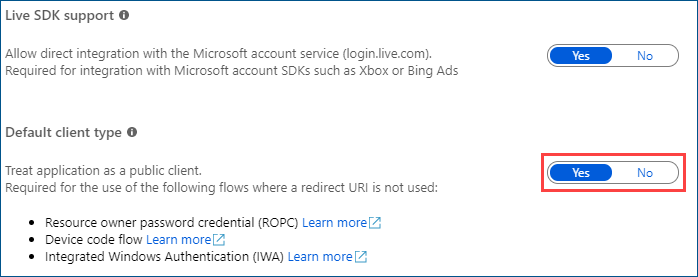
To make enable users to log in to GENESIS through the regular login dialog, Security uses the Resource Owner Password Credentials flow (https://docs.microsoft.com/en-us/azure/active-directory/develop/v2-oauth-ropc).
This flow must be specifically permitted for the registered applications. To do so, go to the Authentication section of the application and enable Treat application as a public client.