Verifying GENESIS Installation File
GENESIS is distributed as a disk image file with a .iso extension. As a user with an active support plan, you can access the files on the Community Portal.
In rare cases, when downloading from the Community Portal, your download may not complete properly, or the file may be somehow corrupted in the process. You can use the Hash Code available on the Community Portal to help verify the file integrity.
To confirm the ISO file integrity using the hash code:
-
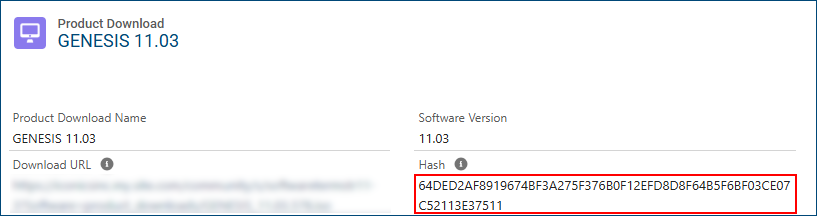
On the Community Portal, navigate to the Product Download page for the desired product and locate the code in the Hash field, such as the one in the following image.
-
On a computer with access to the downloaded GENESIS installation file, open a command prompt.
-
Run the following command; make sure to replace the example name below with the name of your .iso file:
Get-FileHash GENESIS_11.03.578.iso -
Compare the hash code from the Community Portal with the result of this command. If the numbers do not match, your installation file probably did not download correctly. We recommend downloading it again.