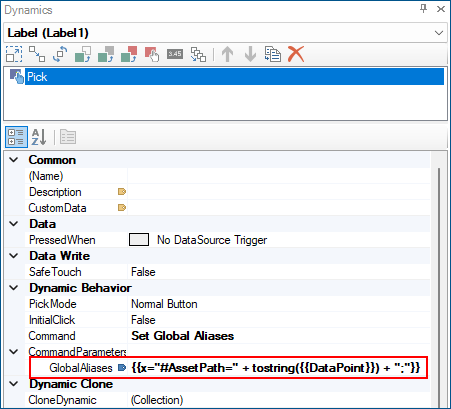
Configuring and Using Aliases Dynamically
You can configure and use global aliases "on the fly" in the design of a GENESIS component, without the need to be centrally configured in Workbench. This can be done in a few ways:
-
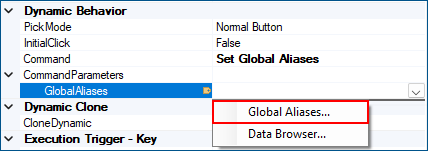
When choosing to edit an Alias command, choose the Global Aliases... browse option.
Select to Add... a new entry in the Aliases section.
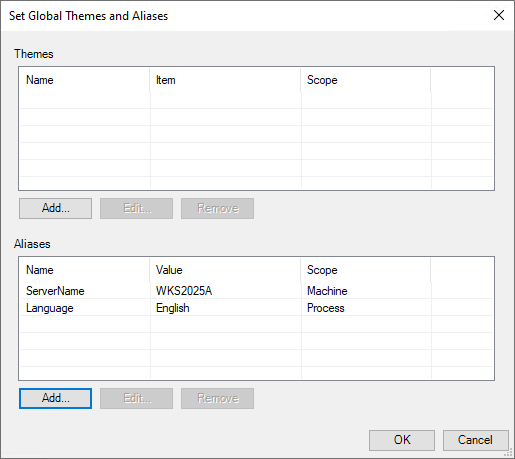
The Value section here defines the value to set the Alias. It can be entered directly here without any need for a previous definition, and can be any value.
-
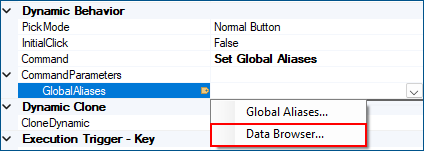
When choosing to edit an Alias command, choose the Data Browser... browse option.
Select Expression and enter the expression that will result in a valid Global Alias command syntax.
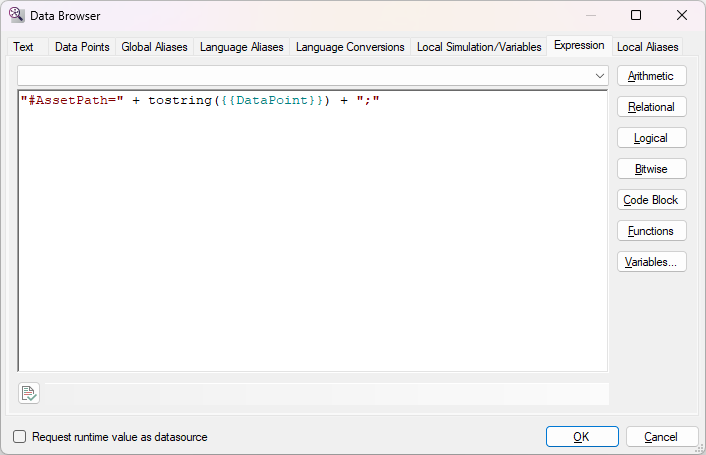
The resulting Command will be dynamic.