Structure of an Expression
An expression is a string of expression editor pseudocode that will resolve to some value. The expression evaluates data exposed by expression variables and functions are resolved on the host server where they are executed, and at the time they are requested. Data used in an expression can be a real-time point value, a historical collection, or any other value valid in the context of the application where the expression is used. To indicate that a string represents an expression, precede the string with the "x=" token, as shown below:
The expression variable is enclosed in double curly brackets {{ and }}. Any part of the expression editor environment where part of the expression is enclosed in these double curly brackets is an indication that it is a variable.
When writing expressions, you can type your expressions directly into the edit expression dialog box, including string expressions, data type conversions, conditional statements, and code blocks. The expression editor provides buttons to assist you in writing expressions using the proper syntax. Click any function assist button to display a library of available functions and select the desired one to add it to your expression string. Hovering over a function displays descriptive tooltips.
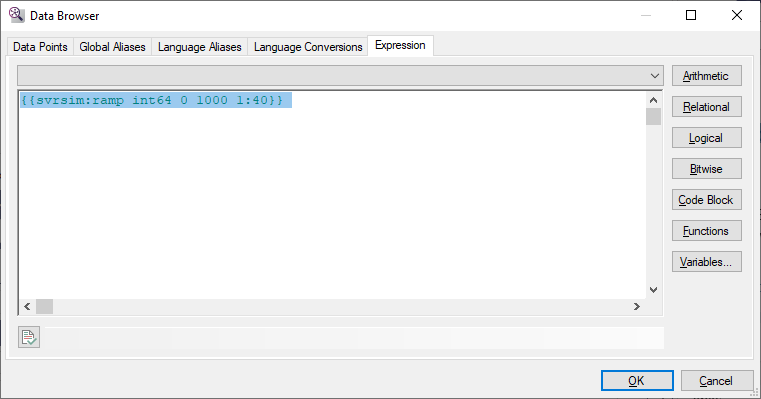
When editing an expression in the editor environment, the preceding "x=" is omitted from the editor.