Using a Web Manipulator via Inline Parameters
This topic describes how to call a REST API on demand using a web manipulator via inline parameters.
To call a REST API on demand using a web manipulator via inline parameters:
- Open GraphWorX in the configuration mode (default).
-
On the Dynamics ribbon, select Data Entry, and then drag the mouse diagonally across the canvas to make a rectangle for inserting the control. The data entry is added to the screen and in the Dynamics pane on the right, a property grid with a preselected DataSource box is displayed.
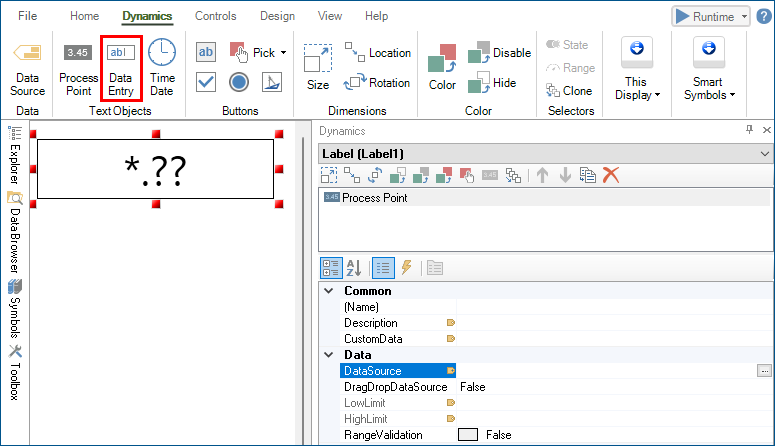
- In Data Source, click
 to open Data Browser.
 -
Go to Data Connectivity > Web Services, expand the desired web method (JsonPlaceholder) and web manipulator (CreatePost), select the desired tag (@@Execute), and then click OK.
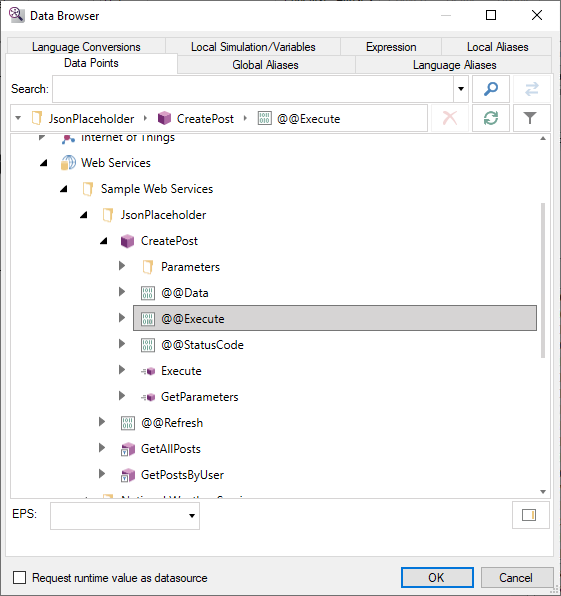 The tag name in the Data Source box references the @@Execute tag and the web manipulator's parameters with default values. In the CreatePost web manipulator example, the @body, and @title parameters are added to the tag name with default values:
ws:Sample Web Services.JsonPlaceholder.CreatePost<@body='Hello World', @title='my title'>.@@Execute -
Modify the parameters with the desired values.
- In the upper right corner of the GraphWorX screen, click
 , or press CTRL+M. GraphWorX switches to the runtime mode and the data entry displays 0.00.
 -
Select the data entry, write the value 1, and press Enter. The web manipulator is executed with the parameter values specified in the tag name. A success message is displayed in the status bar, and the data entry automatically reverts to its value of 0.00.
You can use global or local aliases to make the parameter values in the tag name dynamic.
- In the upper right corner of the GraphWorX screen, click