Using SQL Analytic Functions
These functions can return values at specific places in a window frame.
FIRST_VALUE
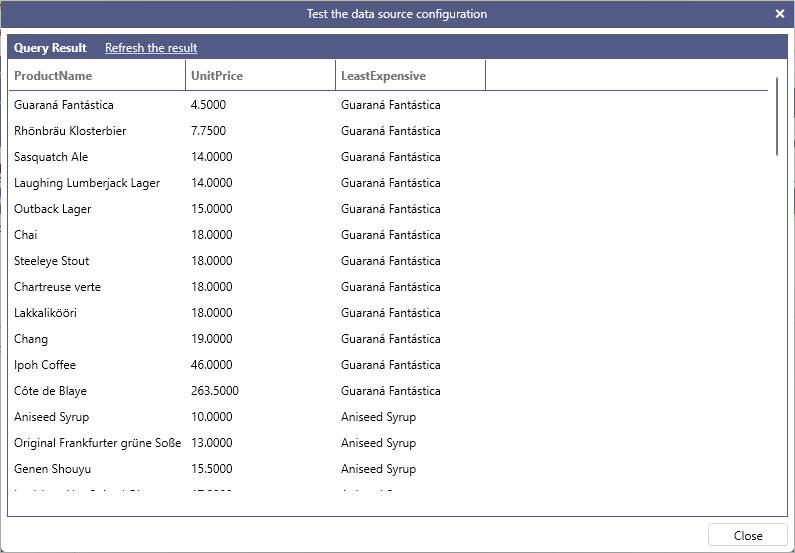
Returns the first value in the current window frame. The following query returns the list of products, their unit price and the least expensive product in the same category. Note that the least expensive product is fixed for each partition because the frame always starts at the first row (when omitted, it defaults to UNBOUNDED PRECEDING).
Example:
LAST_VALUE
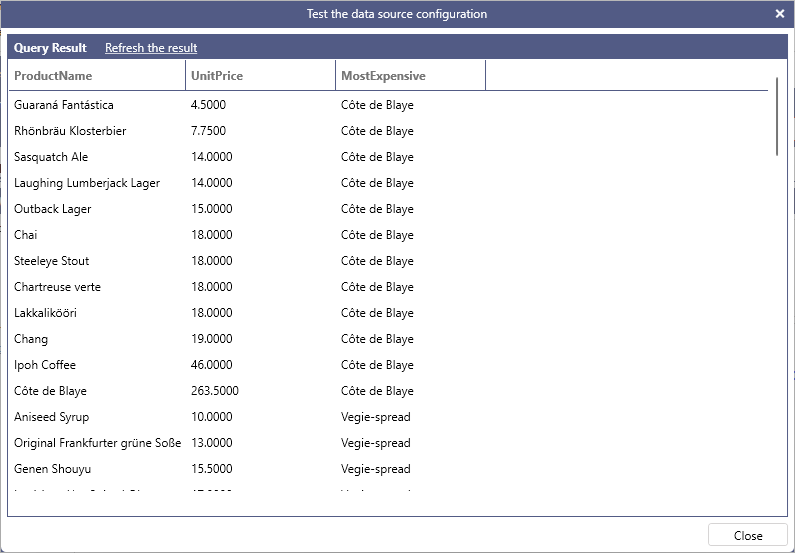
Returns the last value in the current window frame. The following query returns the list of products, their unit price and the most expensive product in the same category. Note that the most expensive product is fixed for each partition because the frame ends at UNBOUNDED FOLLOWING.
Example:
LAG
Returns the value from a previous row in the same dataset, which allows to compare the current row with a previous row. By default, LAG returns the value of the row immediately preceding the current row, however a custom offset can be specified as the second, optional, parameter of the function. A third optional parameter can be used to specify a default value to return when the value being retrieved by LAG falls outside of the window frame: if this parameter is not specified then NULL is used as a default value. Both offset and default value can be a constant, a column reference or an expression.
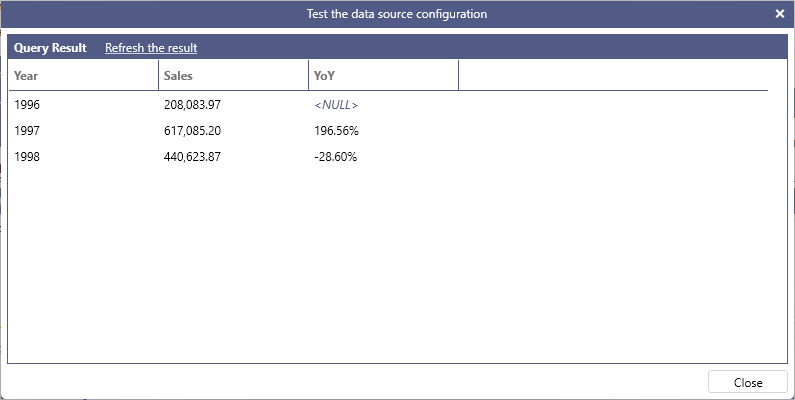
The following query calculates yearly sales using a subquery and then uses LAG on the result in order to compute the year over year change.
Example:
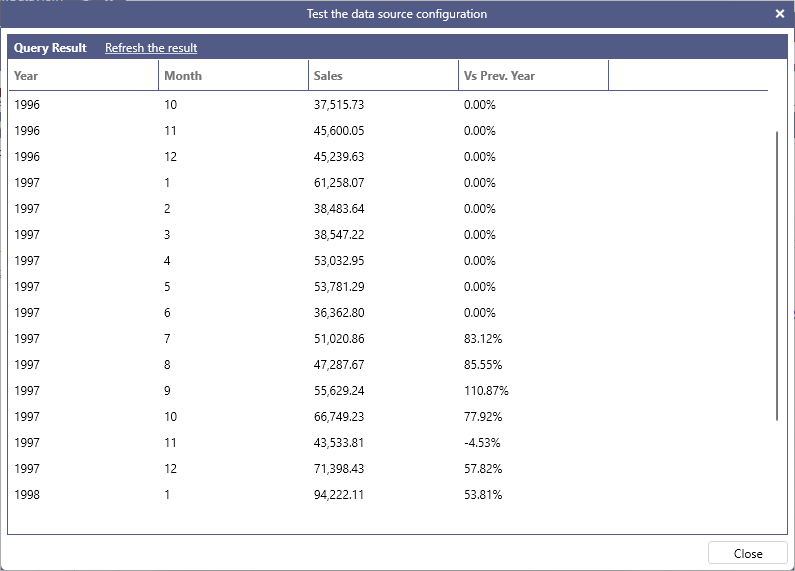
The following query calculates monthly sales using a subquery and then uses LAG on the result in order to compute a month over the same month of the previous year change using 12 as an offset for the LAG function. The example also uses the value of Sales as the default value so that the change results in 0 when a month to calculate the comparison does not exist.
Example:
LEAD
Returns the value from a following row in the same dataset. By default, LEAD returns the value of the row immediately following the current row, however a custom offset can be specified as the second, optional, parameter of the function. A third optional parameter can be used to specify a default value to return when the value being retrieved by LEAD falls outside of the window frame: if this parameter is not specified then NULL is used as a default value. Both offset and default value can be a constant, a column reference or an expression.
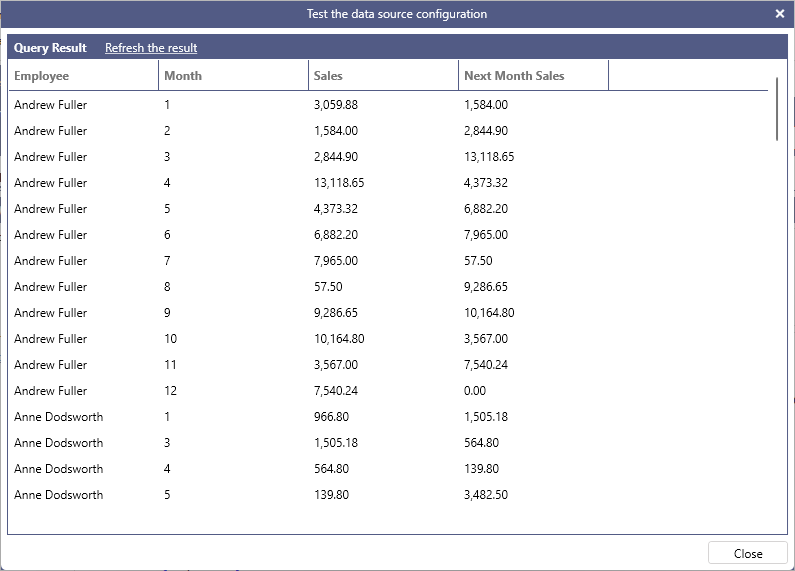
The following query calculates monthly sales by employee for the year 1997 and then uses the LEAD function partitioned by Employee and sorted by month to show the next month sales per employee.
Example: