Creating a Parameterized Data View
Data Views can be configured with a static query structure and then the resulting dataset can be queried. But Data Views can also be parameterized, allowing for greater flexibility as the parameter may be supplied at the time of making a query.
To add a parameter to a data view:
-
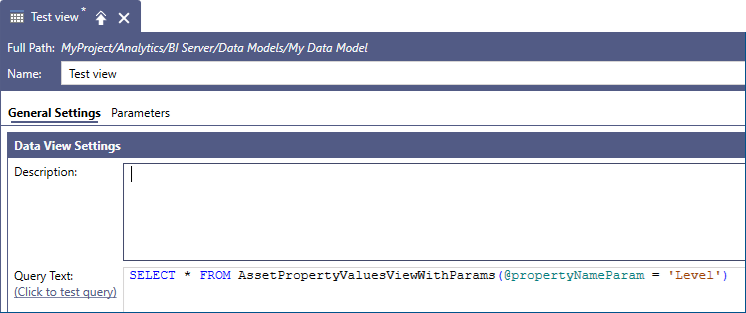
Modify your data query to include the desired parameter - in our example is the Assets property Name field

-
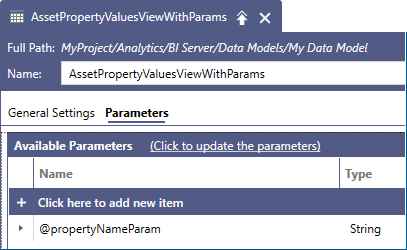
Add your parameter in the Parameters collection of the Data View. BI server requires that all the parameters used in the query are defined under the Parameters tab.
-
Parameters can be created manually or automatically detected from the query text by clicking the Click to update the parameters link.
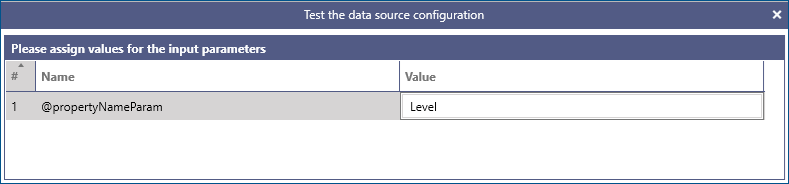
Once the parameters are defined, the query can be tested as we did above. Before executing the query, Workbench will ask for the parameter values.
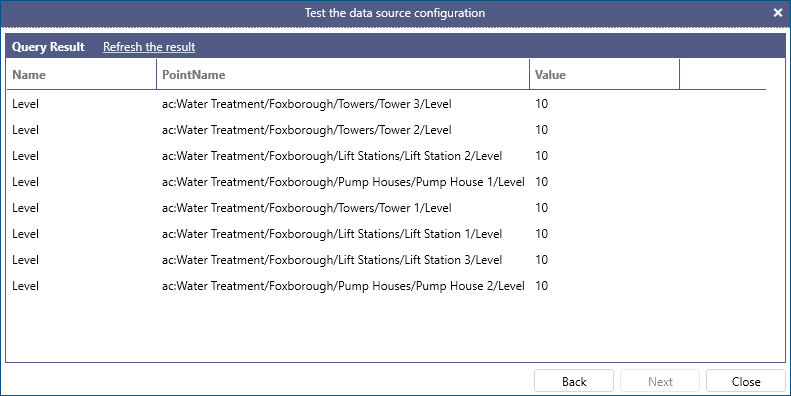
The data query preview window will display the filtered qusery results after your parameter has been used in evaluating the result dataset.
ParameterizedData Views can be used in other queries or Data Views by passing the parameter values in parenthesis. Values can be either named or unnamed, in which case they will be bound to the Data Viewparameters positionally.
- Unnamed parameter in Data View query
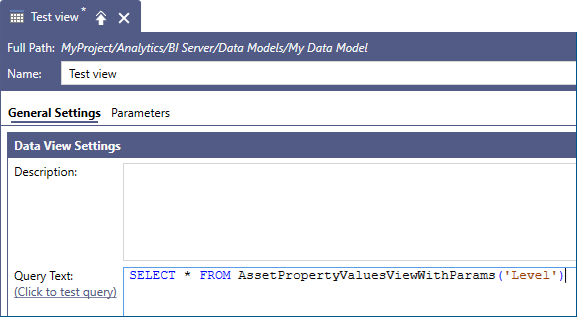
- Named parameter in Data View query