Executing a BACnet Device Time Synchronization
Time synchronization is used for synchronizing BACnet devices with either the UTC time or local time. By default, the local time uses the local server time zone. You can change that in the channel settings or in the settings of an individual device.
You can synchronize a single device or all devices on a channel at once.
To execute the time synchronization on a channel or a device:
- Open Workbench and in Project Explorer, expand your project > Data Connectivity > BACnet > Channels.
-
Do one of the following:
-
To synchronize all devices on a channel at once, right-click the desired channel and select Time Synchronization.
- To synchronize a single device, expand its channel and network, and then right-click the desired device and select Time Synchronization.
-
-
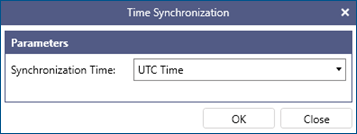
In Synchronization Time, select the desired option (UTC or local) and click OK.