Editing a Schedule
When you create a Schedule and assign various properties to it (such as a holiday list, specific and recurring events, etc.), you create the schedule when you click on the Apply button. The Apply button acts as a Save command. Therefore, editing a schedule is an almost identical procedure.
To Edit a Schedule:
- Click on the schedule in the Project Explorer that you wish to edit. (Associated schedules can be found in the right-side window of the Workbench once a containing folder is clicked.)
- On the General, Weekly, Holidays, and Exceptions tabs, alter the properties and events that you want to be part of your schedule.
- Click Apply to save your changes.
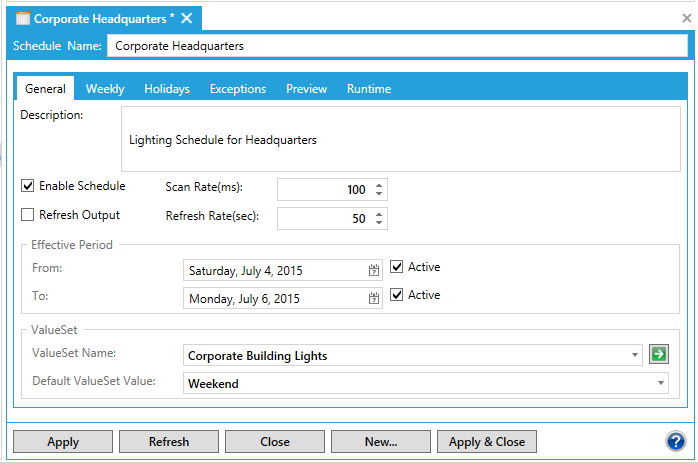
In the following example, building lights are shut off at a headquarters building for a holiday weekend.
Schedule Properties
See also: