Creating a Schedule Folder
Schedules can be organized into folders, so that a set of schedules for similar resources can be grouped together and more easily found. You can create a folder at any level in the Schedule tree. You can also drag and drop a folder in the tree to move a folder within the hierarchy. Folder names are editable in the Name text box in the Details pane of the Schedule window (lower right pane).
To Create a Schedule Folder
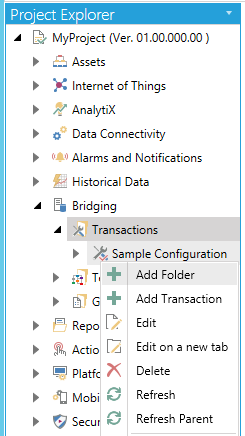
- Right-click on the Schedules node and click on Add Folder.
New Schedule Folder in Project Explorer
-OR-
Select the Schedules node then click on the Add Folder button, shown below, in the Edit section of the Home ribbon in the Workbench.
Add Folder Button

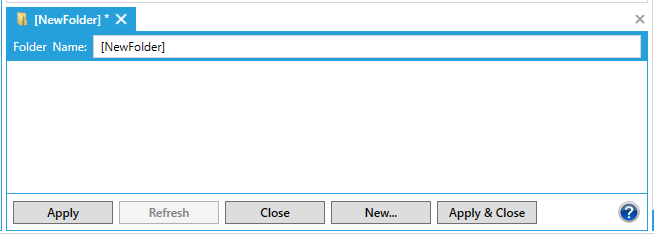
- The Folder properties window appears.
-
Enter a name for the Schedule Folder and click Applyto save your changes.
Schedule Folder Properties Window in the Workbench
See also: