Restore Device
To Restore a Backed Up Device:
-
From the Workbench, expand your Project in the Project Explorer, then expand Data Connectivity.
-
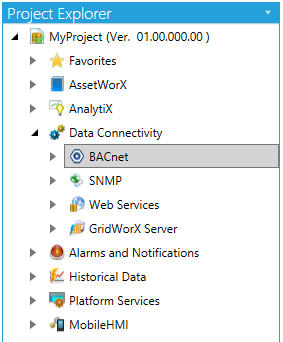
You'll see the BACnet node of the Project Explorer, as shown below.
BACnet Provider in the Workbench
-
-
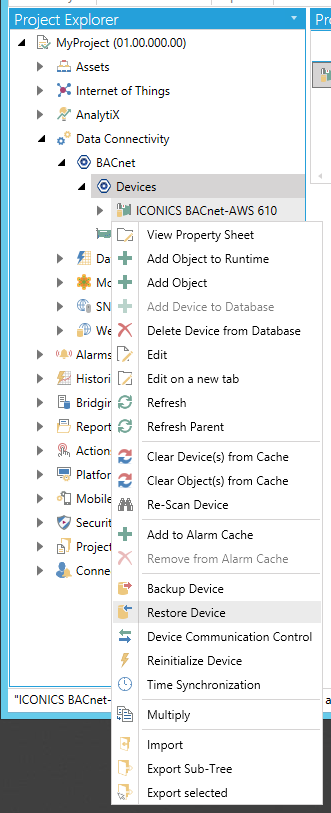
Expand the BACnet node and then the Devices node. Right-click on the device you wish to restore, then click on Restore Device, as shown below.
Restore Device from Project Explorer
-OR-
Select the device you wish to restore, then click on the Restore Device button, shown below, in the Tools section of the Home ribbon in the Workbench.
Restore Device Button

-
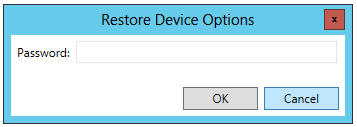
The Restore Device Options window appears. Enter the device's password to start the restoration procedure, then click OK.
Restore Device Options window
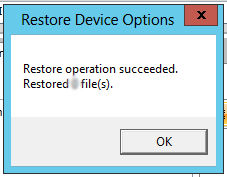
The following window will then appear to let you know how many files were restored during the backup.
Restore Device Options - Copied Files
See Also: