Running the Email Agent
With more recent Windows and Windows Server operating systems, some changes have been made to some of the underlying communications the Email Agent may use.
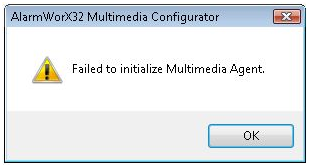
As such, you may see the following error when trying to test the Email Agent with a MAPI client such as Microsoft Outlook 2003/2007.
"Failed to initialize Multimedia Agent" Message
The solution to this issue is to modify the MMXMail DCOM properties. This can be done as follows:
- Go to Start -> Run and type 'cmd' to bring up the Command Prompt.
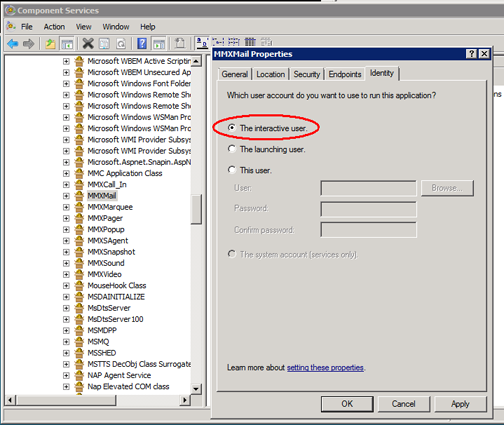
- Type 'dcomcnfg', which will open Component Services (as shown below).
- Expand Component Services -> Computers -> My Computer -> DCOM Config folder
- Right click on "MMXMail" and select "Properties".
- In the MMXMail Properties window (shown below), select the "Identity" tab and select "The interactive user".
- Click OK to save your changes.
MMXMail Properties Window Opened from Component Services