OPC Over SOAP/XML - Advanced Settings
Configure OPC over SOAP/XML Settings
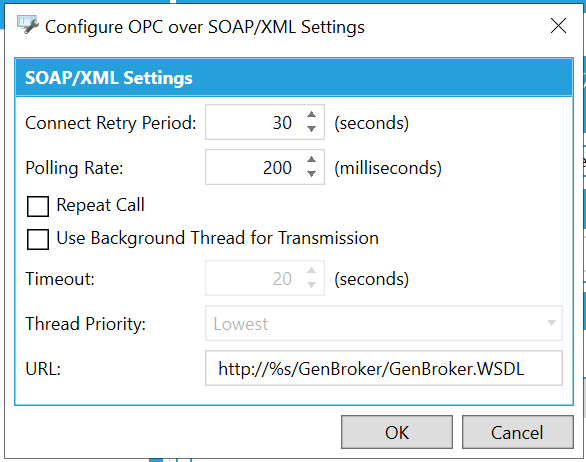
SOAP/XML Settings
-
Connect Retry Period -Enter a time, in seconds (or use the up/down arrow buttons) for retrying the OPC over SOAP/XML connection.
-
Polling Rate -Enter a polling rate, in milliseconds, in the text entry field or use the up/down arrow buttons.
-
Repeat Call -True to repeat the OPC over SOAP/XML call.
-
Use Background Thread for Transmission - True to use background thread for OPC over SOAP/XML transmission.
-
Timeout -When active, enter a time, in seconds, in the text entry field, or use the up/down arrow buttons.
-
Thread Priority -Use the pulldown menu to select from Lowest, Below Normal, Normal, Above Normal, or Highest.
-
URL - Enter a URL for the OPC over SOAP/XML transmission.
Once you have completed making your changes to these settings, click the OK button to return to the Workbench.
See Also: